Blog

Tutorial: Scan your model with iPhone

  • Tomas Vojtek

  • January 31, 2025

twinzo logistics analytics on a phone
Tutorial: Scan your model with iPhone

Scanning with LiDAR on iPhone and iPad

With the latest iPhones and iPads, you can quickly create LiDAR scans of your surroundings or objects. Digital Twin software and smart manufacturing applications increasingly rely on accurate 3D scans to optimize workflows and enhance real-time logistics.

From our experience, for optimal results, it is best to limit scans to around 300 square meters, as this ensures better manageability and accuracy. If you need to scan a larger area, we recommend using professional LiDAR equipment or consulting a specialized company in your area that focuses on LiDAR and photogrammetry scans.

Supported Devices and Recommended Apps for Digital Twin Integration

LiDAR scanning is supported on the following Apple devices:

•  iPhone 12 Pro & Pro Max

•  iPhone 13 Pro & Pro Max

•  iPhone 14 Pro & Pro Max

•  iPhone 15 Pro & Pro Max

•  iPad Pro

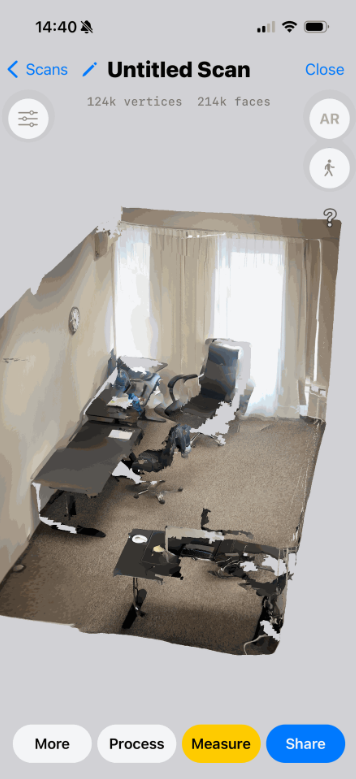
If you own one of these devices, you can download the 3D Scanner App for free. This app allows you to easily scan environments and objects, while also offering settings to refine the scanning processfor digital twin software.

iPhone LiDAR scan of a facility

Saving and Exporting Your Scan

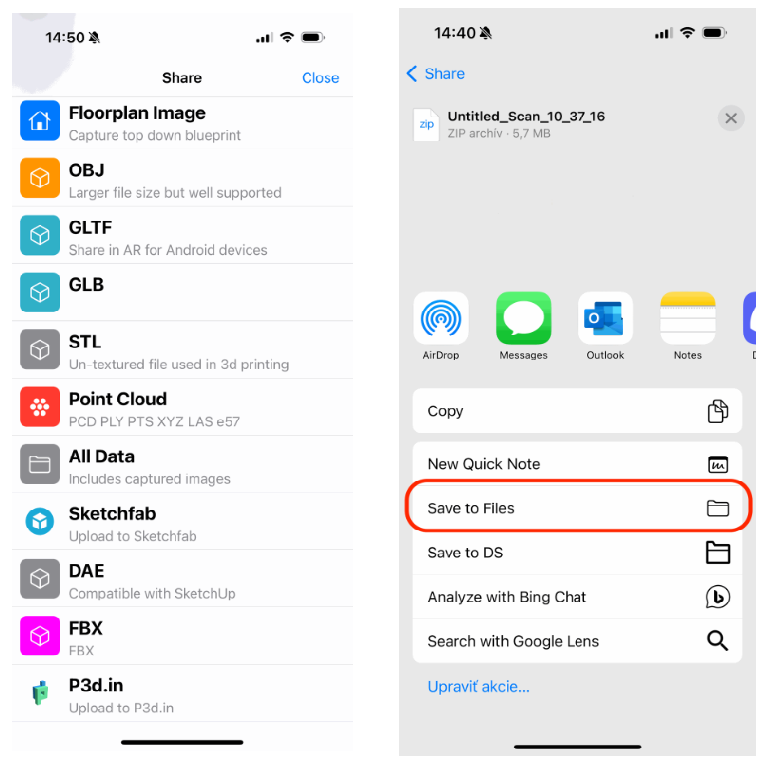
Once you are satisfied with your LiDAR scan, tap on the Share button within the app and select the FBX format for export. After selecting FBX, save the file to local storage, making sure to remember its location so you can access it later during the Digital Twin software onboarding process.

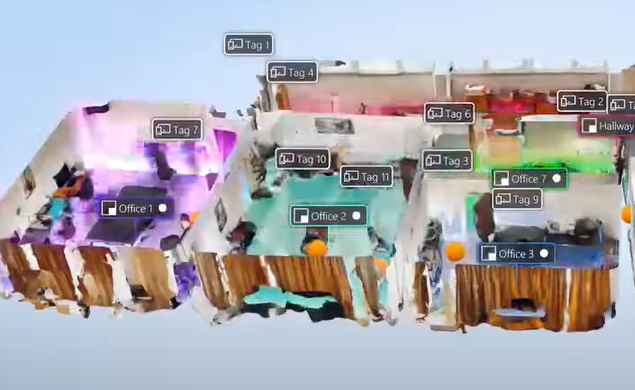
iPhone LiDAR facility scans

You might also be interested in:

Tutorial: Automate your orderings with Digital Twin

Tutorial: Automate your orderings with Digital Twin

Idle time is one of the biggest areas for optimization in factory operations. It occurs when production stops due to material shortages, equipment breakdowns, or other disruptions that require maintenance. Reducing idle time is critical for improving efficiency and minimizing downtime.

Tutorial: DIY Forklift Optimization with twinzo

Tutorial: DIY Forklift Optimization with twinzo

We made it easy for you to do the first pilot on your own. We are confident that you will be able to install this technology on roughly 1000 square meters yourself following this tutorial. What will you need: Approximately 20 BLE beacons (you can buy them from our recommended vendors HERE)

Landscape mode is not supported, please rotate your device.

By clicking “Accept”, you agree to the storing of cookies on your device to enhance site navigation, analyze site usage, and assist in our marketing efforts. View our Privacy Policy for more information.