Blog

Seamless Data Integration from HighByte to Twinzo

Bridging Industrial Data and 3D Visualization for Real-Time Operational Insight

  • Tomas Vojtek

  • May 19, 2025

twinzo logistics analytics on a phone
Seamless Data Integration from HighByte to Twinzo

Why this Integration Matters

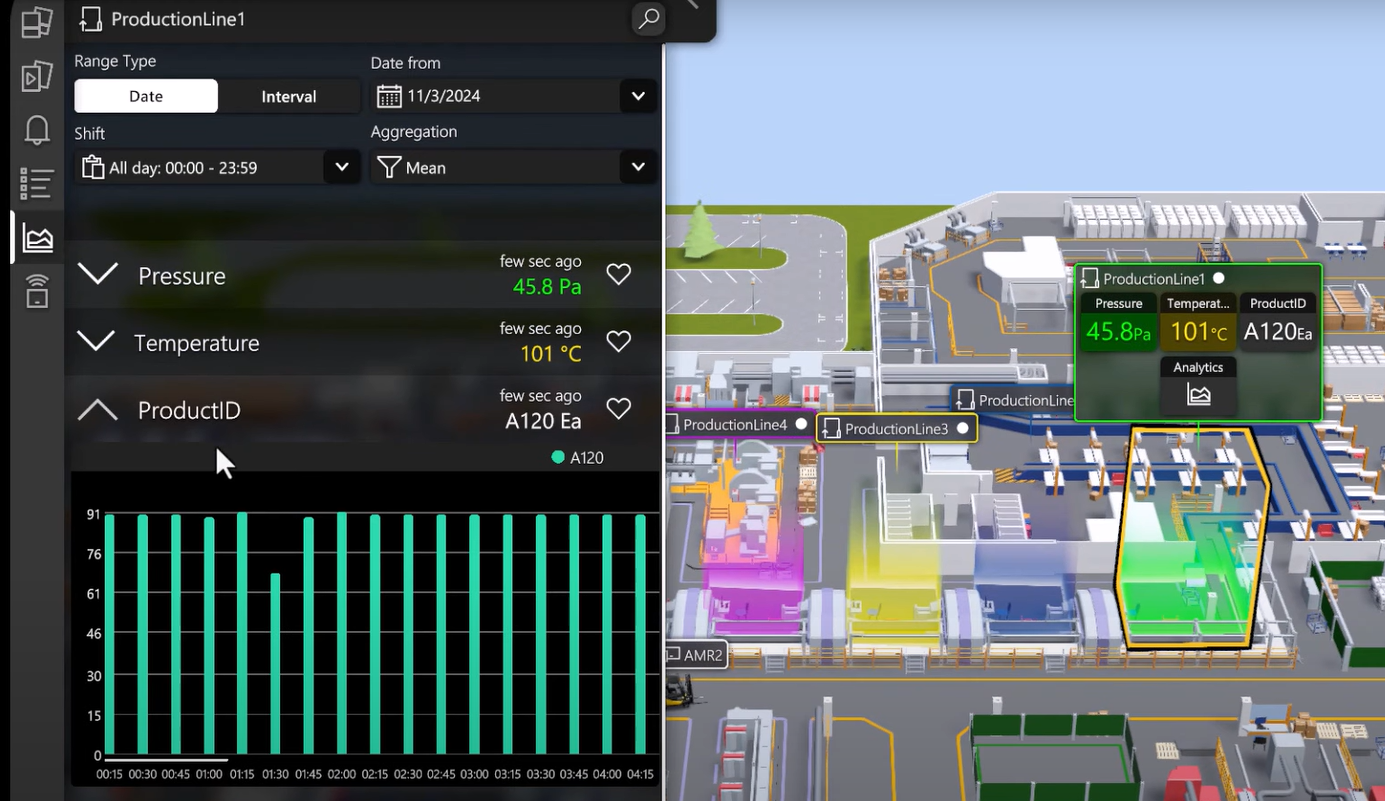
Industrial teams often have siloed data - from OPC UA-enabled machines, PLCs, and SCADA systems - sitting separately from location tracking or visualization tools. With this integration, you can stream both machine data and location context into Twinzo to (same spatial idea as the Ignition MES digital twin integration):

•  Visualize operational data in a live 3D model of your facility

•  Monitor assets, workstations, and mobile equipment in real time

•  React faster to issues and improve coordination across teams

How It Works

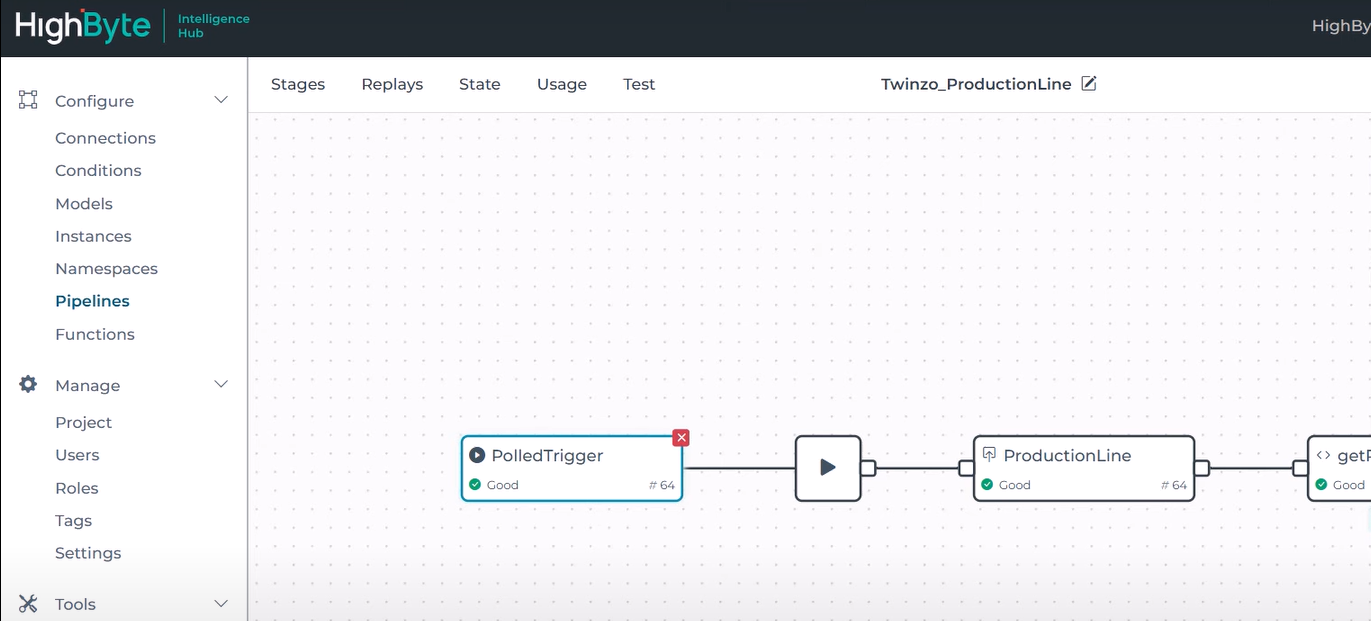
The integration is made possible by HighByte Intelligence Hub, a lightweight Industrial DataOps platform designed for edge environments. It standardizes and models industrial data at the source, then securely transmits it to enterprise systems - including Twinzo.

Key Setup Highlights:

•  OPCUA & MQTT Support:  HighByte connects to industrial equipment via OPC UA, models the data, and publishes it using MQTT.

•  Payload Format:  The JSON payload includes unique asset identifiers, real-time values, timestamps, and spatial coordinates (X, Y, Z).

•  Twinzo Ingestion: Data is ingested into Twinzo’s system using MQTT, mapped to visual elements in the3D environment, and displayed in real time.

For full configuration details, see HighByte’s official integration guide: Sending OPC UA and Location Data to Twinzo

HighByte Intelligence Hub connected to twinzo

Real-World Benefits

This integration enables customers to:

•  Monitor equipment health and performance right where it is in the plant

• Track mobile assets (like forklifts or carts) along with their current operational state

• Create context-rich dashboards where every value is tied to a spatial location

• Reduce downtime and boost responsiveness by seeing issues unfold in real time

No Heavy Lifting Required

You don’t need to build custom integrations or new infrastructure. This setup uses:

Your existing OPC UA-enabled devices

Your existing 3D model of the facility (Twinzo doesn’t create models, it visualizes yours)

Off-the-shelfedge software (HighByte) and MQTT connectivity

This means low friction, fast deployment, and ROI in weeks - not months.

Who Should Care

This integration is ideal for:

• Manufacturing operations looking to combine machine telemetry with spatial analytics

• Maintenanceand reliability teams wanting to monitor machines visually and contextually

• Digital transformation leaders aiming to bridge OT and IT systems in a scalable way

Ready to Bring Your Data to Life?

Whether you’re visualizing a bottling line, tracking AGVs, or monitoring CNC status in real time - Twinzo and HighBytetogether make it easy to build your live digital twin with data you already have.

👉 The result lands in the same 3D ops picture as other twinzo features. Want to see it in action? Contact us to schedule a live demo or start your free trial today.

You might also be interested in:

Strengthening Europe’s Defense Manufacturing

Strengthening Europe’s Defense Manufacturing

In an era of mounting geopolitical pressure and increasing defense budgets across Europe, the defense manufacturing sector finds itself under a new kind of scrutiny - not just for what it builds, but how efficiently it builds it. As nations accelerate rearmament programs and supply chains remain vulnerable, internal logistics has become a critical but often overlooked battlefield.

Tutorial: Automate your orderings with Digital Twin

Tutorial: Automate your orderings with Digital Twin

Idle time is one of the biggest areas for optimization in factory operations. It occurs when production stops due to material shortages, equipment breakdowns, or other disruptions that require maintenance. Reducing idle time is critical for improving efficiency and minimizing downtime.

Landscape mode is not supported, please rotate your device.

By clicking “Accept”, you agree to the storing of cookies on your device to enhance site navigation, analyze site usage, and assist in our marketing efforts. View our Privacy Policy for more information.